
Problem
The organization wishes to increase its user license limit, either in anticipation of a significant increase in users or in response to a notification indicating that license usage is nearing the maximum allowed under its agreement with Dual Code. System Administrators receive these alerts by email and via an on-screen message when 90% of the licensed user capacity has been reached.
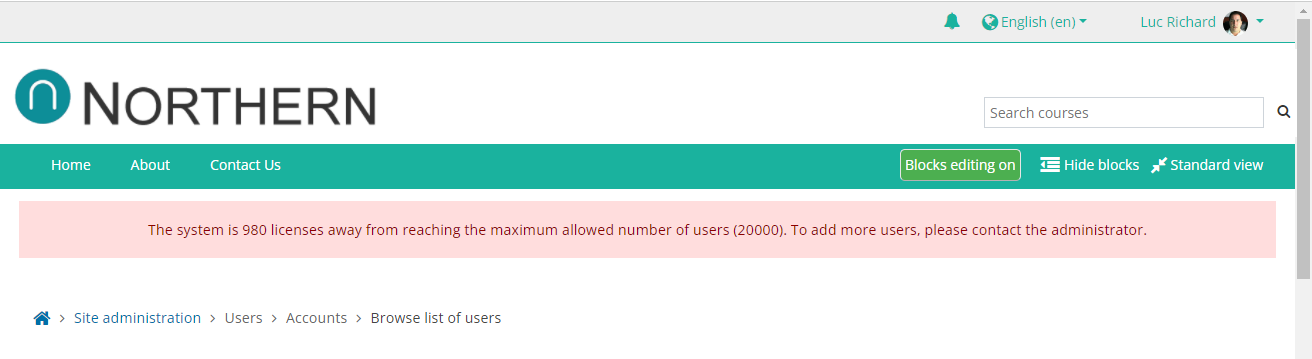
Which users count toward your license limit?
Active users and suspended users both count toward your license limit. Deleted users do not.
If you upload users from a CSV file using the Uploading Users procedure, a value of 1 in the deleted column permanently deletes that user. Once deleted, the user no longer counts toward your license limit. This cannot be undone, so see the warning under option 2 below.
Solution
To eliminate (or prevent) this message, you have 2 options.
-
The easiest / quickest option is to purchase more user licenses. You can do so by contacting Dual Code via our Help Desk. The fees are most likely already stated in your agreement with Dual Code, but if you need a quote, someone from Dual Code can provide you one. The fees are pro-rated for the remainder of the year. This means that if the fees are X dollars for the year and you are in the 6th month of a 12 month agreement, the fees for the remainder of the current year would be X/2.
-
You can permanently delete users from the system to free up licenses. Please note that once a user is deleted, their information is permanently deleted. You will no longer see these users nor their information in course-level reports such as SCORM reports, quiz attempts, the gradebook, or other reports. And they will no longer be able to access your courses nor retrieve their certificate of completion. There is no way to recover this information after you delete a user.