Once a user completes a purchase in the Marketplace, the system automatically sends them a confirmation email. This email includes general instructions related to the course or product they purchased, along with their official receipt. Sellers do not need to issue receipts manually—this process is fully automated.
Email Content
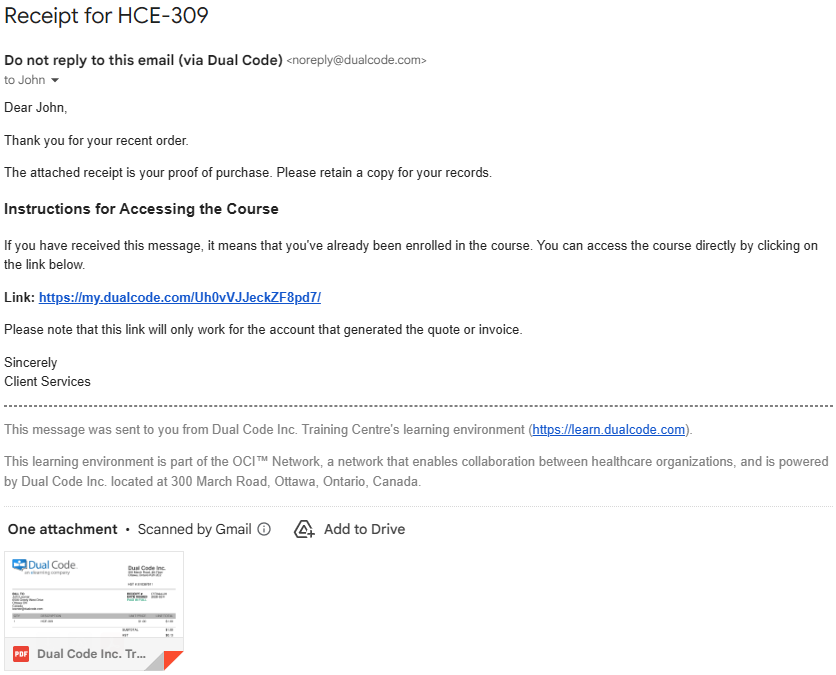
Below is a sample email for an individual who purchased the course for their own use. The email clearly identifies the purchased course in the subject line (e.g., HCE-309), provides instructions for accessing the course, and includes a footer that clearly identifies the sender. A receipt is attached as a PDF.
Please note that the content of the email may differ for purchasers of multiple licenses or site licenses.
Receipt Format
The receipt is provided as a PDF attachment to the email, making it easy for users to download, save, or print for their records. The PDF receipt includes key transaction details such as:
-
Purchaser’s name and full mailing address
-
Course or product name
-
Purchase date
-
Receipt number
-
Amount paid (including applicable taxes)
-
Seller/organization contact information
A general cancellation policy is also included on page 2 of the receipt for reference.
Because Dual Code acts as the Merchant of Record, our name, business address, and HST number appear on the receipt. However, the name of the organization offering the course is also clearly indicated, so the purchaser knows who provided the training.
Delivery Timing
If the purchase is made by credit card, the receipt is emailed immediately upon successful payment. If the user downloads a quote or invoice and pays by cheque or electronic funds transfer, the receipt will be issued by email once payment is received in full. If a receipt is missing, users should check their spam or junk folder, or contact support for assistance.