
When you delete a cohort, you're only deleting the association between the users and this cohort. You are not deleting the users in the system.
Step-by-step Guide
To delete a cohort:
-
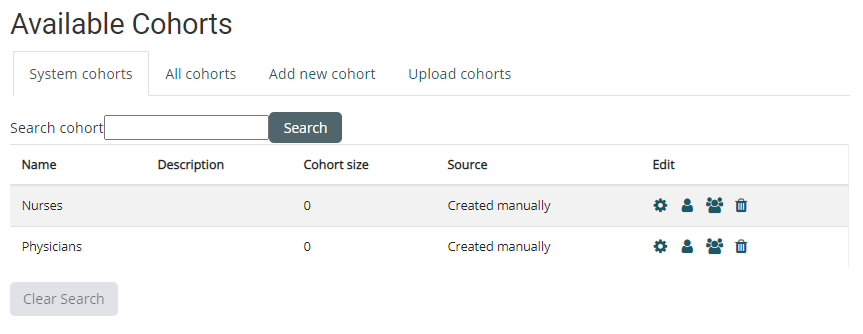
Go to Site Administration > Users > Cohorts
-
Select the "System cohorts" tab
-
Click on the delete icon next to the cohort in question
-
Confirm the deletion on the next page
Important Notes
-
Cohorts created by TeamAlign™ cannot be deleted, as they are automatically generated based on predefined rules and data from integrated systems like your HRIS, HCM, or Active Directory.