It is recommended to suspend users when you no longer want them to have access to your learning environment rather than deleting them. That's because when you delete a user, you delete all the information associated with the user, including grades, certificates of completion, and their learning history. This may be against your organization's retention policy.
Step-by-step Guide
To suspend a user:
-
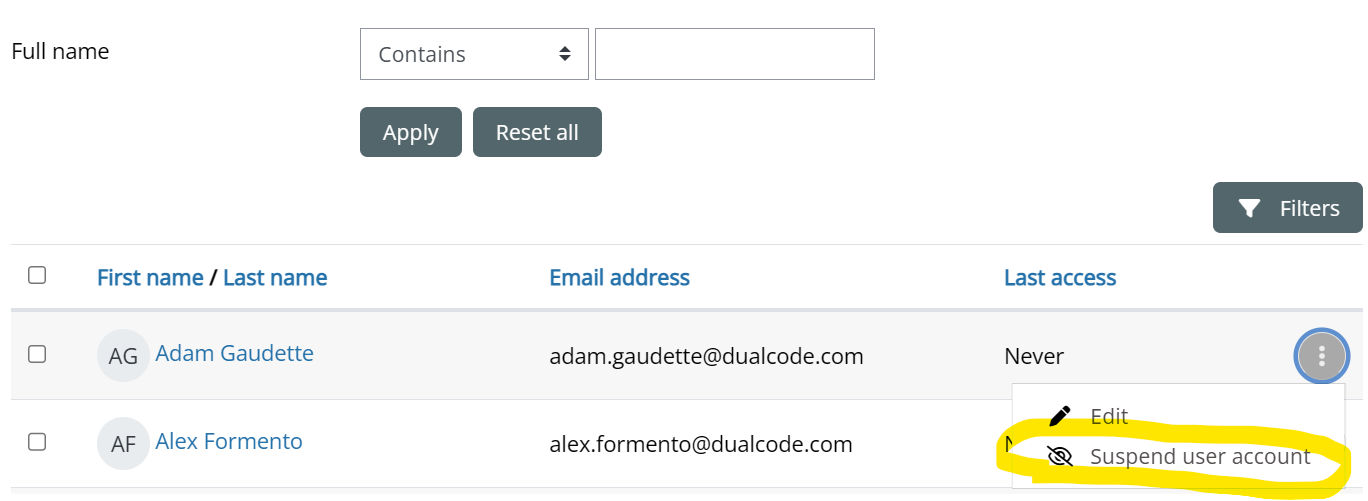
Go to Site Administration > Users > Accounts > Browse list of users
-
Find the user in question
-
Underneath the 3 vertical dots on the right side of the screen next to the user in question, click on “Suspend user account”
You can re-activate the user by simply repeating the same procedure and selecting “Activate user account”.