
If your course contains face-to-face sessions, you generally want to display them to the learners before they enrol in the course. This is to prevent a user from enrolling in a course only to find out after the fact that they cannot attend any of the sessions due to a scheduling conflict.
Step-by-step Guide
To display the available sessions in the course description:
-
Go to the course in question
-
Click on Course Administration > Edit Settings
-
In the course description field, enter {filter_facetoface} (with the curly braces) wherever you would like to display the list of upcoming sessions.
-
Click on the save button at the bottom of the page.
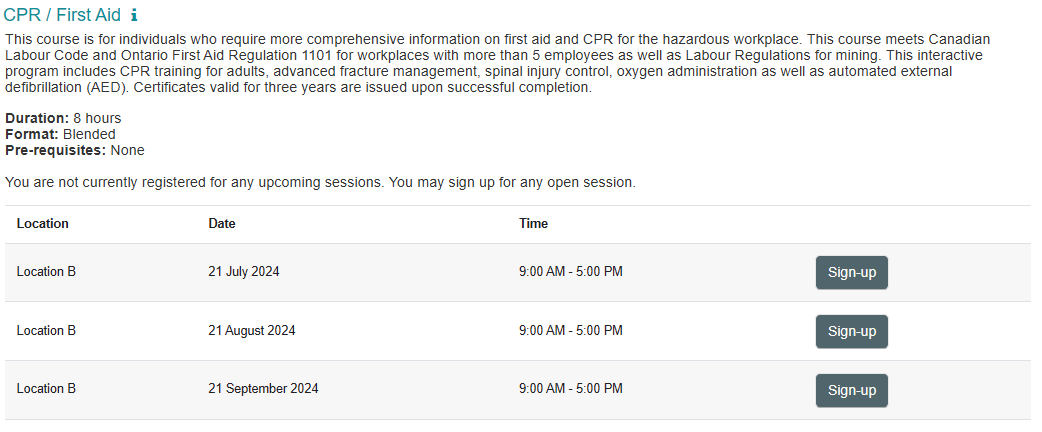
By following the steps above, the learning environment will replace the {filter_facetoface} text string with a table listing all of the upcoming sessions.
Important Notes
-
The learning environment will automatically hide the sessions if users cannot register for them (e.g. if the class is full, if the registration period has passed, etc.)
-
If expected sessions are missing from the course description, check the Sessions displayed on course page setting in each Face-to-Face activity. This setting limits the number of sessions that can be displayed; increase it when more upcoming sessions need to appear.