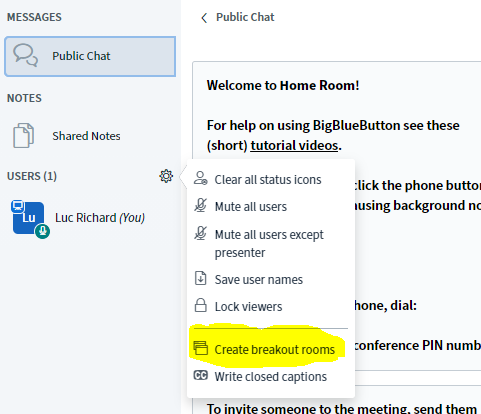
As an instructor, you may want to have breakout rooms in your web conference. This allows your learners to go into separate rooms for smaller meetings and come back to the main meeting room after their done.
Step-by-step guide
To create breakout rooms:
-
Log in the BigBlueButton web conferencing system as an instructor
-
Click on the cogwheel icon next to "USERS" in the left panel
-
Select "Create breakout rooms".
-
Fill out the form to specify the number of rooms you would like, the duration learners should remain in the room, and so on
-
If assigning users manually, you can drag and drop their name from the "Not assigned" box to the room in question
-
-
Click on the "Create" button